Putting on-brand creative production in everyone's hands
The details
Role
End-to-end product strategy, design, and development
Company
Miro
Year
2026
Status
Internal rollout
Stakeholders
Brand, Product Marketing
At Miro, creating product visuals for marketing often required an in-house designer or an external agency, with turnaround commonly exceeding 24-48 hours and agency spending running into the tens of thousands of dollars per month.
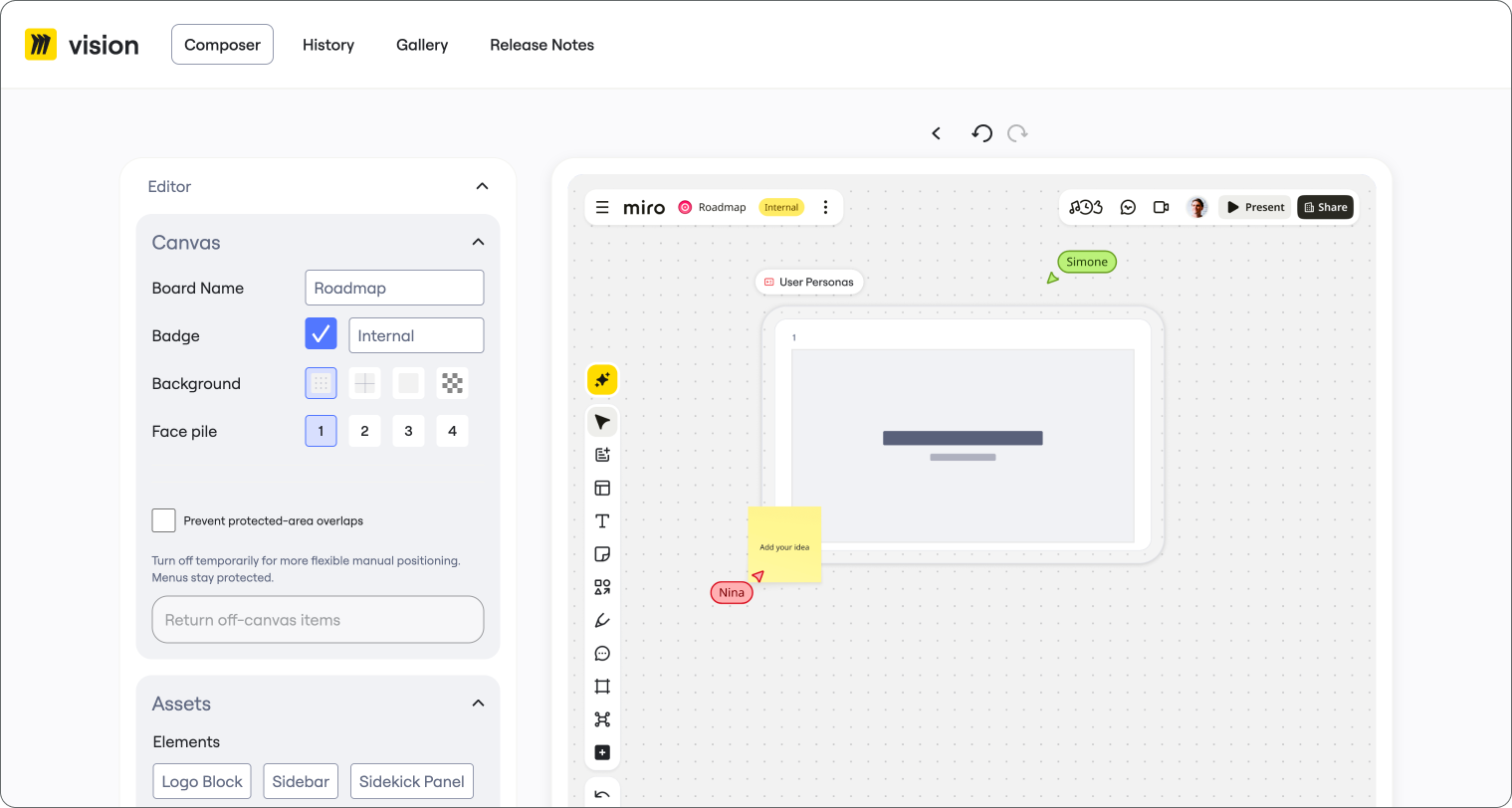
I designed and developed MiroVision, an AI-powered creative tool that allowed non-designers to generate on-brand product marketing visuals via simple prompts. Rather than simply automating design production, MiroVision made routine creative work accessible across the organization while preserving standards established by the brand team.
In an initial sample of ~50 distinct jobs created by a pre-release cohort of ~10 users, around 70% of tool jobs resulted in exported PNGs, which was a positive early signal of self-service use.
An infinite canvas with finite resources
As a product, Miro is vastly flexible. Canvas components look different depending on the team, industry, project, or use case. Sometimes a table is three rows, sometimes it's 100+ with multiple sub-rows to boot. Then there’s docs, roadmaps, prototypes, slides, etc.
That flexibility created a particular challenge for marketing. Showing the product accurately required visuals that reflected real workflows, but creating those visuals took time not only to create the visual but to populate the visual with content—and much of that labor is mundanely repetitive.
Previously, Miro relied on a combination of in-house designers and external agency support to produce these assets. That created a dependency on specialized creative resources for work that was often relatively routine.
The opportunity wasn't simply to generate visuals faster. It was to change who could produce them, what level of creative control they needed, and when a designer should get involved, if at all.
Designing flexibility without sacrificing control
The central design challenge was deciding how much freedom to give the user.
Since Miro's product contained virtually unlimited visual permutations, building every possible option into a creative tool would be unweildy both for the builder and the user; limiting the system too aggressively would similarly make it useless for the very people it was intended to help.
My approach was to build a curated, expandable library of product and brand components, then use AI to interpret user requests and compose those components within pre-defined rules.
I made three consequential choices.
1. Treat Figma as design's source of truth
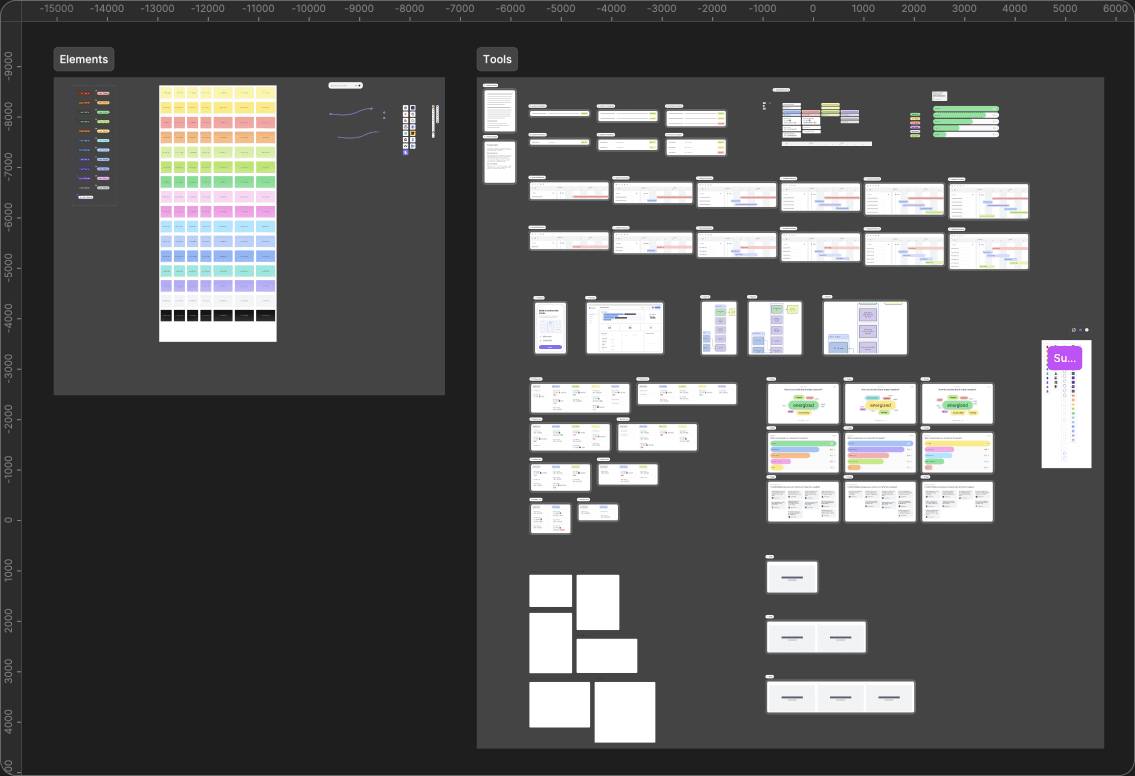
Rather than asking an AI model to recreate Miro's brand from descriptions or reference images, MiroVision connected via MCP to a central Figma component library.
The library is maintained by the brand team. The tool drew from those components to construct visuals, keeping core design elements in sync with an approved system.
This also made the system extensible: as users encountered missing product elements or new requirements, the library could be expanded without rebuilding the entire tool. Thus we solved 80% of the problem, while developing signal for additional features before expending time and tokens to build.
2. Design for non-designers
I deliberately avoided building another general-purpose design application.
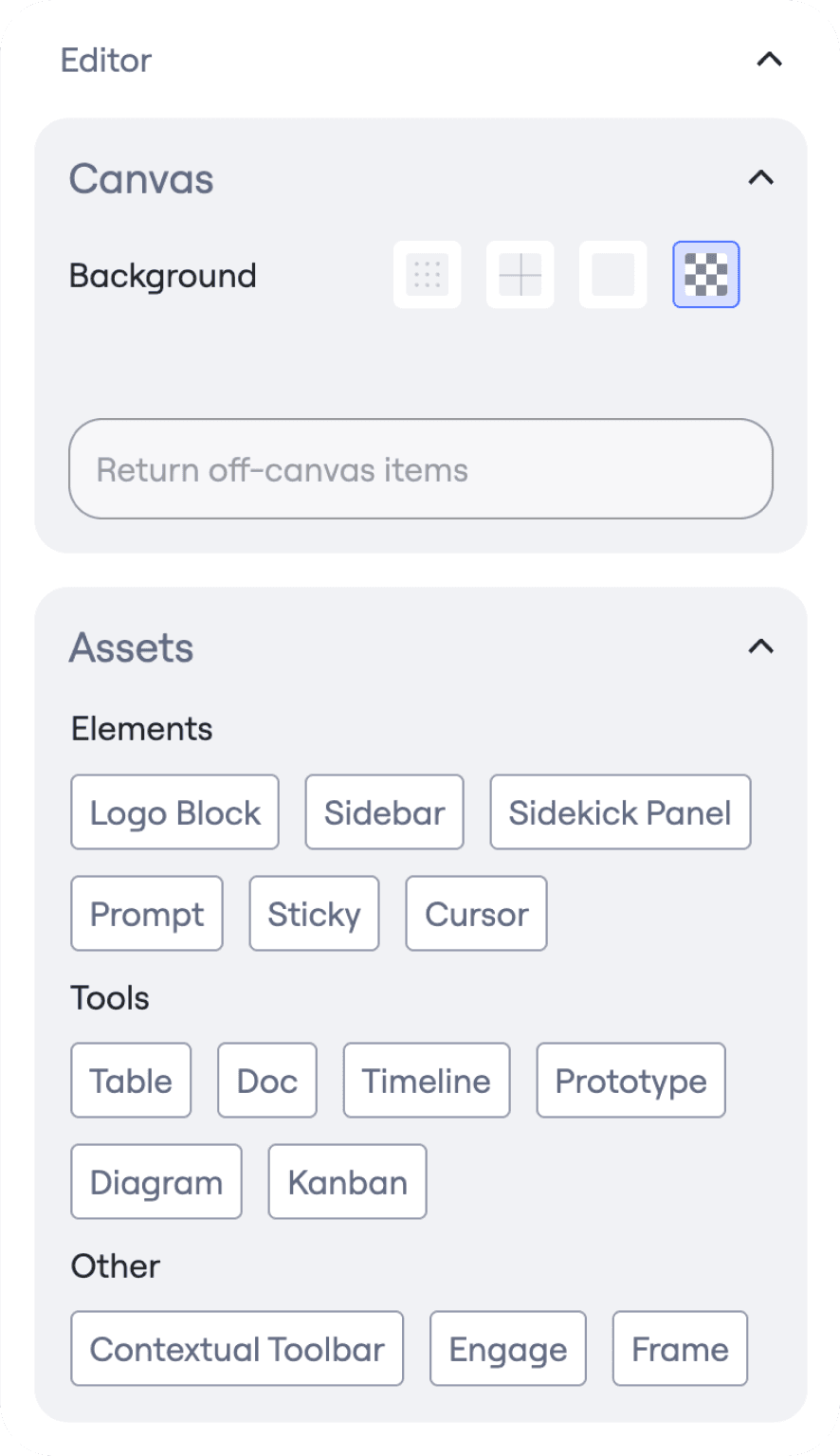
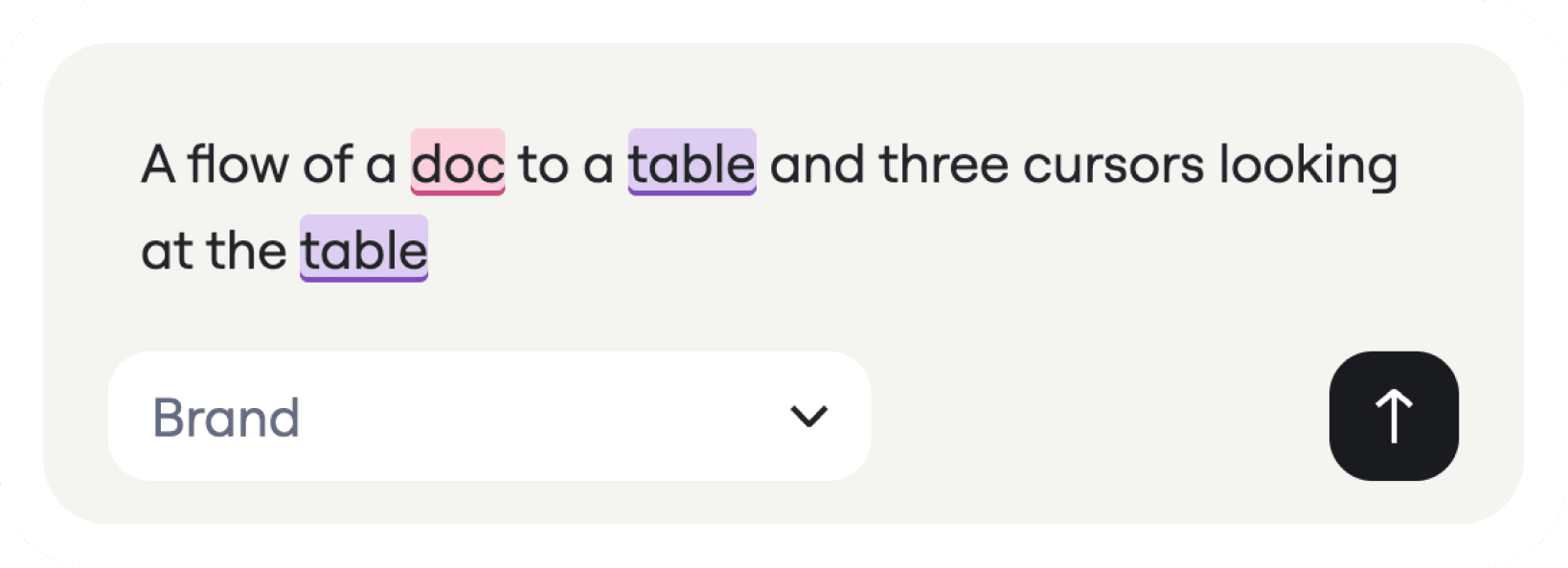
MiroVision started with a prompt. Once it generated a composition, users could make follow-up adjustments in a constrained editor built with Konva. The controls focused on content and basic composition rather than asking non-designers to make detailed typography, layout, or visual design decisions.
Two modes provided different levels of creative freedom:
Product mode prioritized fidelity to the actual Miro product. It applied stricter composition rules and more limited editing capabilities.
Brand mode permitted more expressive compositions and a broader range of editing controls while remaining grounded in the same brand system.
This distinction made the tool useful for myriad marketing use cases without treating every request with the same creative constraints.
3. Use AI for judgment, and code for consistency
I made a key architectural decision to avoid using generative AI for tasks that could be handled reliably through code.
MiroVision used agents to interpret prompts, generate copy, verify structured JSON payloads, and validate outputs. Deterministic code handled the parts of composition and rendering where consistency is more valuable than improvisation.
That division of responsibilities was fundamental to the system. AI provided flexibility in understanding what someone wanted; code constrained how that intent became a finished design.
And when a request exceeded the tool's capabilities, the output could still provide a useful starting point for a designer, when a PM needed them.
I also built a Figma plugin that allowed generated assets to be brought back into Figma at full fidelity with their original components in the product brand library. That gave designers a way to take over more complex work without having to reconstruct the entire composition.
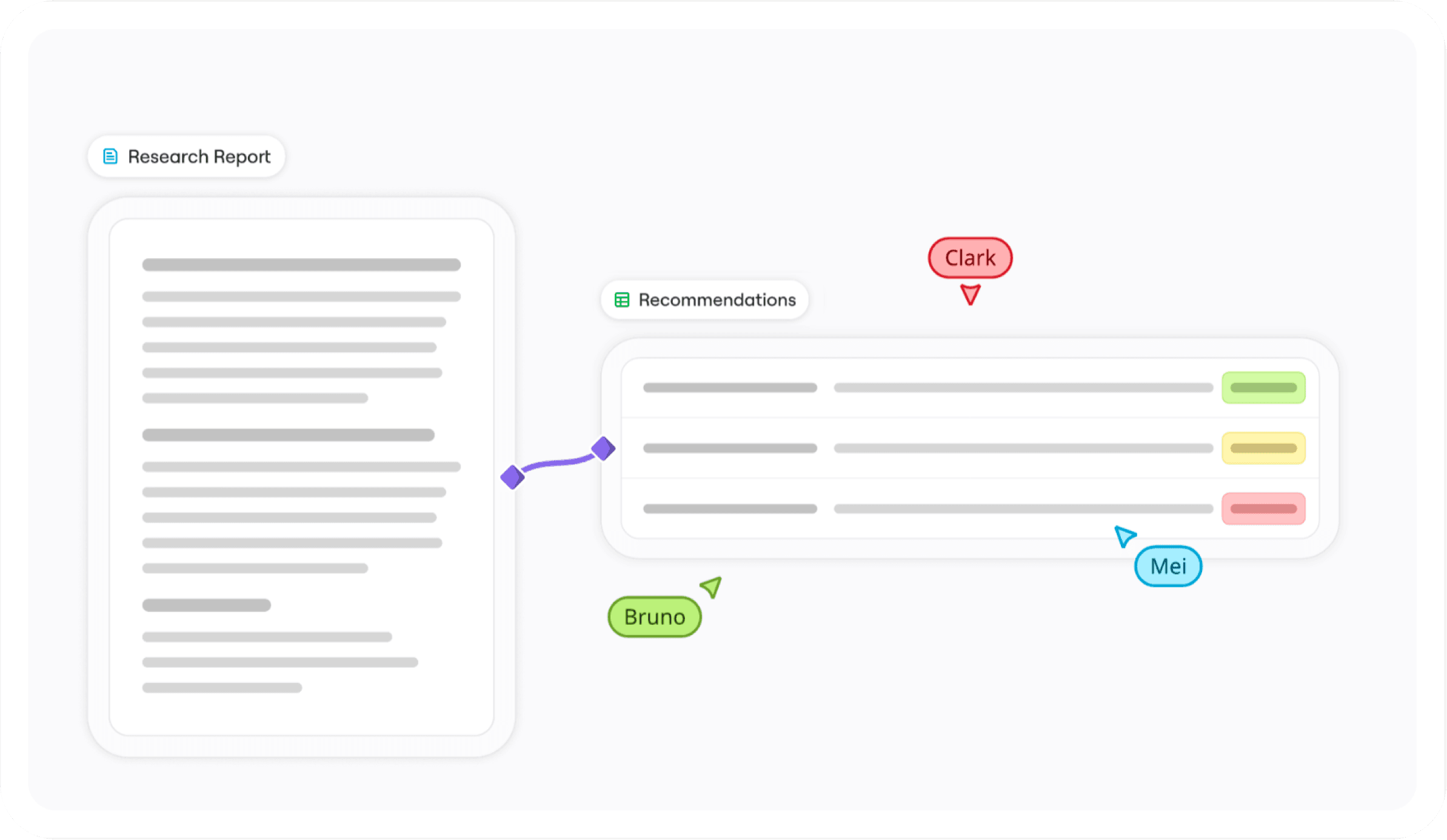
>Example prompt: a board with three stickies and a doc, Sarah’s cursor pointing at the doc
The server loads the synced Figma component catalog and the rules for the chosen template. Product mode stays faithful to the real product; Brand mode allows more expressive layouts but requires one clear focus.
ExampleProduct template rules applied. Sticky, doc and cursor components are available.
Two AI calls run at the same time
Claude decides what the board is about: mood, focus, reading order, which components to use and how they relate to each other.
ExampleFocus on the doc. Read the stickies first, then the doc. The cursor points at the doc.
At the same time, a second call pulls out a literal checklist of everything the prompt asked for. It guards against the Art Director quietly dropping items.
Example☐ sticky ×3 ☐ doc ☐ cursor (Sarah)
Code merges both answers. Anything on the checklist that the Art Director left out is added back. If the flow direction, frame contents or focus is still ambiguous, the tool asks the user to clarify instead of guessing.
ExampleThe Art Director planned two stickies, so the third is added back from the checklist.
Anything ambiguous?YesYes: Ask the user to clarifyOtherwise: No
Each item is matched to a specific component variant, and titles and copy are bound into place.
ExampleSticky colors chosen, the doc gets a title, the cursor is labelled “Sarah”.
A layout solver places every piece according to the relationships and reading order, avoiding collisions and keeping things inside their frames.
ExampleStickies sit in a row, the doc to their right, the cursor anchored to the doc.
A critic scores alignment, balance, overlap and clipping, then tries corrections. A fix is kept only if the score improves.
ExampleThe cursor label overlapped the doc. Nudging it raised the score, so the fix was kept.
The scene is drawn from cached renders of the real Figma components, so the output matches the brand library exactly.
ExampleThe board is rendered at export size.
The run and its revisions are saved. From there the board can be edited with undo/redo, resized for other formats, or rebuilt in Figma with real components through the plugin.
ExampleSaved as the first revision and shown in the Composer.
Export
Revise
Resize
Send to Figma
Early results
MiroVision began with a pilot group of five product marketing managers before expanding to additional users within the marketing org. Generation cost about $0.10 and took fewer than 45 seconds.
In an initial sample of approximately 50 distinct jobs from roughly 10 users, around 70% resulted in PNG exports. It offered a useful early signal of the tool's practical value.
Users also began requesting additional product components, helping shape the product and its asset library.
The system gave non-designers (like PMs and PMMs) a self-service path for routine visual requests. For requests that still required a designer, generated compositions could serve as visual direction rather than starting from a blank frame. This also freed up designers to work on thornier problems and solve bigger, strategic brand tasks.
Conclusion
MiroVision began as a way to make routine visual production more accessible, but the more important work was defining the boundaries of that accessibility.
Non-designers gained a way to create useful brand assets without mastering the underlying design system, nor being expected to. Designers retained ownership of that system and a path to refine outputs when more specialized judgment was required.
The project demonstrated a different application of AI in creative work: designing systems that expand where and how creative work gets produced across an organization.
Credits
I designed and developed MiroVision end to end with Cursor, including the tool architecture, interface, design engine, and Figma plugin. I also built out the initial Figma component library, which was later maintained by myself and the Miro brand team.